
Why gas prices change between fill-ups
The U.S. Energy Information Administration (EIA) explains that gasoline prices respond to crude oil costs and the balance between available supply and demand. Refinery or delivery disruptions and seasonal changes can affect prices even when crude oil is stable.
The retail price also includes refining, distribution, marketing and taxes. Keep the date, station, fuel grade, gallons and price per gallon together when comparing your own purchases.
Compare the same gallons, not just the total
A hypothetical 12-gallon purchase at $4.00 per gallon costs $48.00. The same 12 gallons at $4.25 costs $51.00, a $3.00 difference. These are example amounts, not current 7-Eleven prices. A larger payment alone does not prove that the price increased if you also bought more gallons.
Keep a fuel prepay separate from the final purchase
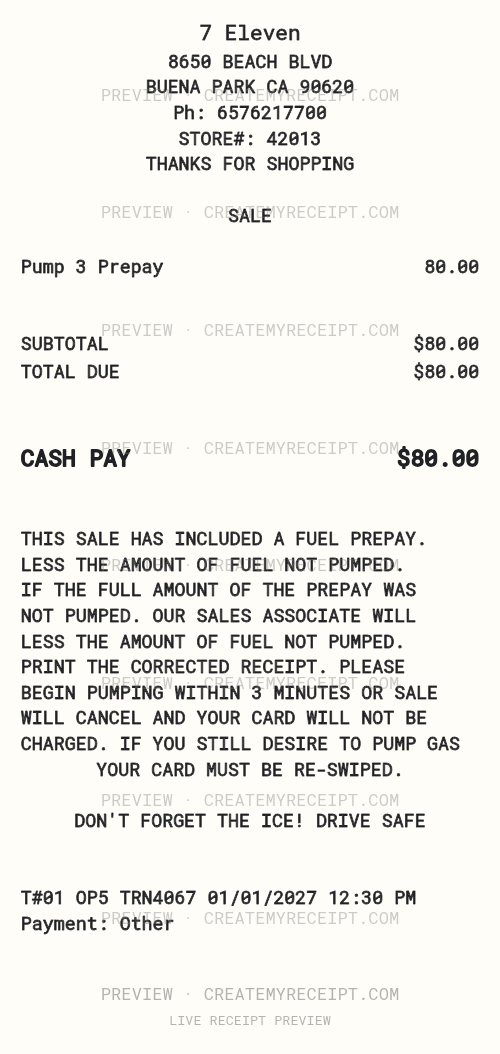
This layout includes a Pump 3 Prepay line. For actual expense tracking, keep the initial payment record and the station's final receipt. An $80 prepay alone does not establish the gallons dispensed. If the final receipt confirms $65 in fuel and a $15 refund, retain both events and avoid counting the $80 and $65 as two purchases.
Ask the store for the original receipt
If the receipt is missing, ask the location where you paid. Have the date, approximate time, amount and pump number available when relevant. Use 7-Eleven's official contact channels for assistance. Whether a copy is available depends on the purchase record and channel.
Edit the layout and organize confirmed details
Open the template to adjust the header, wording, items, alignment and amounts. Enter confirmed details from your own purchase and keep the original documents. Review structured numeric amounts separately: changing printed wording does not automatically change export values.
With applicable paid export access, CSV and Excel/XLSX help sort purchases by date or merchant. Your spreadsheet can compare unit prices and separate fuel spending from convenience-store items. Use the expense report builder to bring reviewed records together.
For more context, read our fuel-cost and receipt guide. Sources reviewed October 18, 2026.