
Recover your original receipt directly from Target first
Start with your Target account or app purchase history. For a Target.com purchase, open the order and its receipts and invoices options. In-store records depend on how the transaction was connected to your account. A bank charge may confirm payment without identifying the items. Follow Target’s official receipt instructions, then ask Guest Services for help if the document is missing.
Target returns and proof of purchase
Target can attempt purchase lookup using certain payment methods. Bring the item and the payment method used to Guest Services within the item’s allowed return window. See Target’s official options without a receipt. A located purchase and an eligible return are separate questions.
Target’s return policy includes item-specific conditions and exceptions. Check the actual deadline and product condition before returning. The printed expiration date and return wording in this template are fictional design examples, rather than a statement of the policy that applies to your purchase.
Make the receipt layout your own
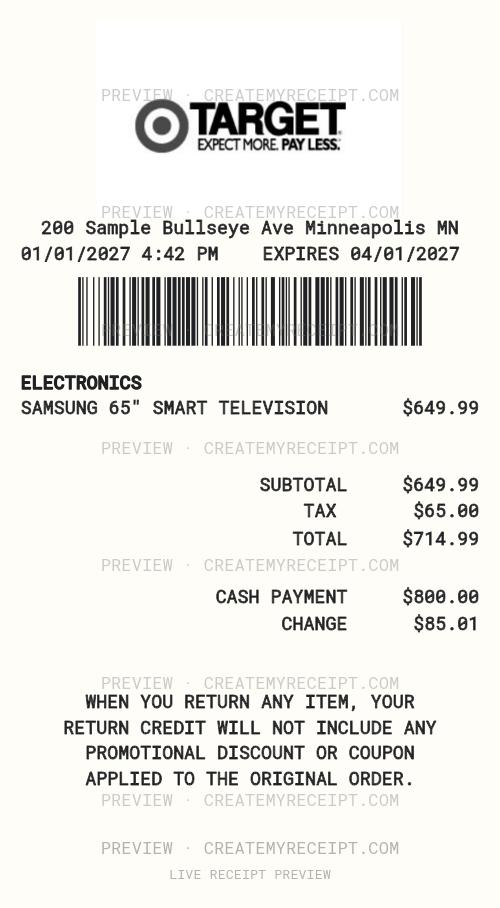
This saved foundation shows a logo, barcode, electronics line and cash-payment layout. Edit the header, wording, sizes, alignment and field positions. Replace fictional example addresses, dates and amounts with confirmed details from your own transaction. Custom printed amounts do not automatically change the numeric purchase data stored for exports.
Keep purchase and refund records clear
Keep the original receipt alongside the purchase record and any later return. For example, when one item from a larger purchase is refunded, record the confirmed refund separately instead of replacing the original purchase total. Retain discounts and tax details so the two documents can be reconciled.
Export your records to CSV or Excel/XLSX
With applicable paid export access, CMR CSV export helps sort recorded purchases by date or category and compare household spending. Excel/XLSX exports support the same spreadsheet workflow. Review confirmed structured quantities and amounts before exporting, and retain your original source documents.
Quick receipt questions
What if my Target receipt is lost or damaged?
Try recovering the original with Target first. If it cannot be recovered, a personal purchase record can help with internal organization. Enter only details you can confirm and leave unknown information unresolved.
Can this template replace a Target-issued receipt for a return?
No. This is an editable design, not a Target-issued original or a guarantee of a return or reimbursement. Use Target’s official proof-of-purchase options and ask Guest Services.
Can I edit the logo, barcode and address?
Yes. Use images you have the right to use and details from your own purchase. The example address and dates are fictional display data.
Official sources checked October 14, 2026. CMR is independent and is not affiliated with Target.