
Coffee-Shop Receipts: Starbucks, Digital Payments and Your Budget
A quick digital payment can make a receipt easy to overlook. Keep original purchase details, separate card funding and review your coffee budget.
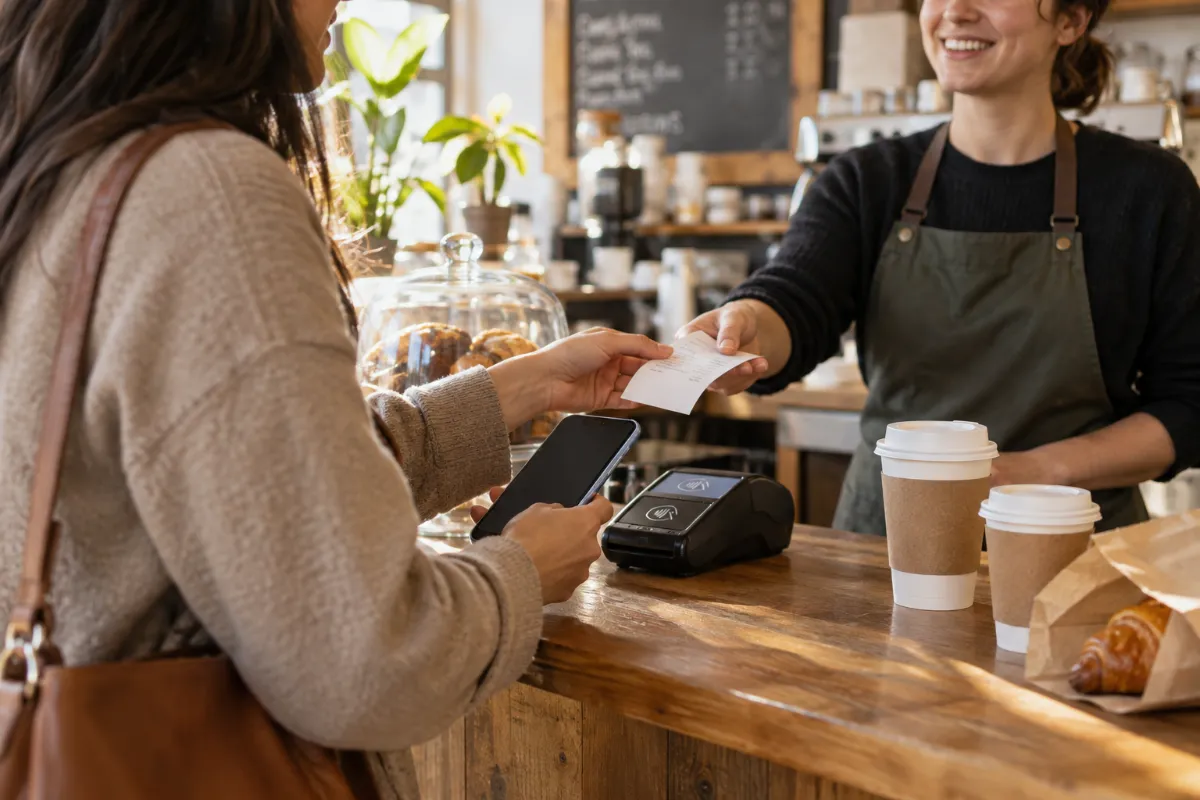
You tap your phone, collect your coffee and head out. The payment is done, but the receipt is easy to overlook. A few small purchases can disappear into a bank statement without explaining what you bought or why.
Ask for the original receipt before leaving the coffee shop, including when you pay digitally. Keeping it helps you review your food-and-drink budget, check an order and organize purchases made for work or a group. Start with the merchant’s record before creating a separate personal record.
This guide uses official U.S. Starbucks sources checked October 11, 2026. Other coffee shops and ordering channels may offer different receipt options.
Ask for the original receipt at checkout
At the counter, ask for an itemized receipt and check that it covers the whole order. Keep the items, quantities, discounts, tax, any tip and final paid amount together. A card notification can confirm a charge without showing the drinks and pastries that produced it.
For Starbucks Card payments, the official Starbucks Card terms say a receipt is provided on request. That guidance concerns the Starbucks Card; do not assume every debit-card, digital-wallet or delivery transaction has identical receipt options.
Save a paper receipt or an available original digital document in a folder you can find again. For a group order, add a separate note about the purpose or participants rather than changing the merchant’s document.
Find the record through the channel you used
If you have already left, check the available account or order information for the purchase. Search your email for its confirmation, and distinguish an order placed from an order paid or later refunded. Ask the store about an available original receipt when the information you have is incomplete.
Delivery needs particular care. Starbucks’ official in-app delivery FAQ currently says delivery history is not shown in its app and order information is sent to the email address and text-enabled phone number supplied at checkout. Check those messages for that channel instead of assuming the order must appear beside an in-store purchase.
If you ordered through another delivery platform, look in the platform used for that order and contact its support for missing records. Keep any separately recorded delivery charges with the purchase.
For unresolved Starbucks questions, use official Starbucks customer service. Have the location or order reference, date, amount and payment method available. Recovery options depend on the transaction; this is not a guarantee that an older receipt can be reprinted.
Why a coffee receipt helps your budget
An itemized record helps separate a drink from a pastry, an extra item, a tip or a delivery charge. You can compare the actual amount paid across visits without treating one store’s example as a universal price.
It can also help you notice an unexpected quantity or a charge that needs a question. Compare the receipt with your order while the details are fresh. Ask the merchant or ordering platform to explain a discrepancy rather than quietly changing your own copy of the numbers.
For shared purchases, keep the complete original payment together. Record any money repaid by other people separately so the full charge and your personal share remain understandable.
A hypothetical coffee-budget example
Imagine a confirmed drink purchase totals $6.50, including any recorded tax. You make that purchase four times each week. These are illustrative amounts, not Starbucks prices or a tax-rate claim.
- Weekly spending: $6.50 × 4 = $26.
- Annual projection: $26 × 52 = $1,352.
- Monthly average: $1,352 ÷ 12 = about $112.67.
If you choose three visits instead, the same assumptions produce $19.50 per week and $1,014 per year—a difference of $338. Actual spending depends on your purchases, schedule and prices; the projection is a planning example.
A receipt folder lets you replace the assumed $6.50 with your confirmed amounts. Count completed purchases for the period, including separately confirmed tips or refunds where applicable. Do not enter a projected budget as money already spent.
Keep Starbucks Card reloads separate from purchases
A reload puts value onto a card; a later coffee purchase uses that value. For a purchase-based food-and-drink log, count the confirmed purchase once and keep the reload in a separate funding category.
For example, you load $25 and then buy coffee totaling $6.50 from that balance. Your purchase log shows $6.50 of coffee spending, not $31.50. Keep the $25 reload record to reconcile funding and the remaining balance.
You may also maintain a cash-flow view showing money leaving your bank at reload time. Keep that view distinct from the purchase categories so adding the two does not double-count the same money. Record subsequent confirmed refunds separately.
If a receipt is lost or damaged
Try the official recovery options first. If paper is fading, preserve a readable photo of the full document while possible and keep the original. Check that the saved image includes the item rows and final totals.
When the original cannot be recovered, the Starbucks receipt template can help you recreate a personal purchase record for internal organization using confirmed details. Replace its example values; leave unknown item prices or tax unknown. The general CMR editor is available for other coffee-shop layouts.
Keep a note of your supporting sources. A payment statement may confirm an amount without confirming each item. A recreated CMR record is not a Starbucks-issued original and does not guarantee reimbursement or acceptance by another organization.
Export coffee records to CSV or Excel/XLSX
CMR CSV export helps bring confirmed purchases into a spreadsheet so you can sort by date, coffee shop or purpose and compare monthly totals. Excel/XLSX export is useful for workbook-based tracking. Review the applicable paid export options; the expense report tool can help organize multiple recorded purchases.
Before exporting, review structured quantities, discounts, tax, tips and paid totals. Custom printed text or visual spacing does not automatically change the numeric data used by an export.
In your spreadsheet, separate purchases, refunds and card funding. Keep original receipts, order messages and payment records alongside the exported file so you can trace entries back to their sources.
Quick questions
Does paying digitally mean I can always retrieve the same receipt later?
No single receipt workflow covers every channel. Request the original at checkout, check the channel’s available records, and ask official support when details are missing.
Should I keep a small coffee receipt?
Yes, if you want a clear purchase history or budget. Repeated small charges are easier to review when you have the details, not just a merchant name and bank total.
Can I use CMR when the original is unavailable?
Yes, for an internal personal record using confirmed information. Attempt official recovery first, preserve your sources and do not present the recreated record as merchant-issued evidence.
Official Starbucks sources checked October 11, 2026.