
Fast-Food Receipts: Recover Lost Copies and Check Your Takeout Order
A practical guide to recovering original receipts, checking meal components and keeping takeout totals accurate.
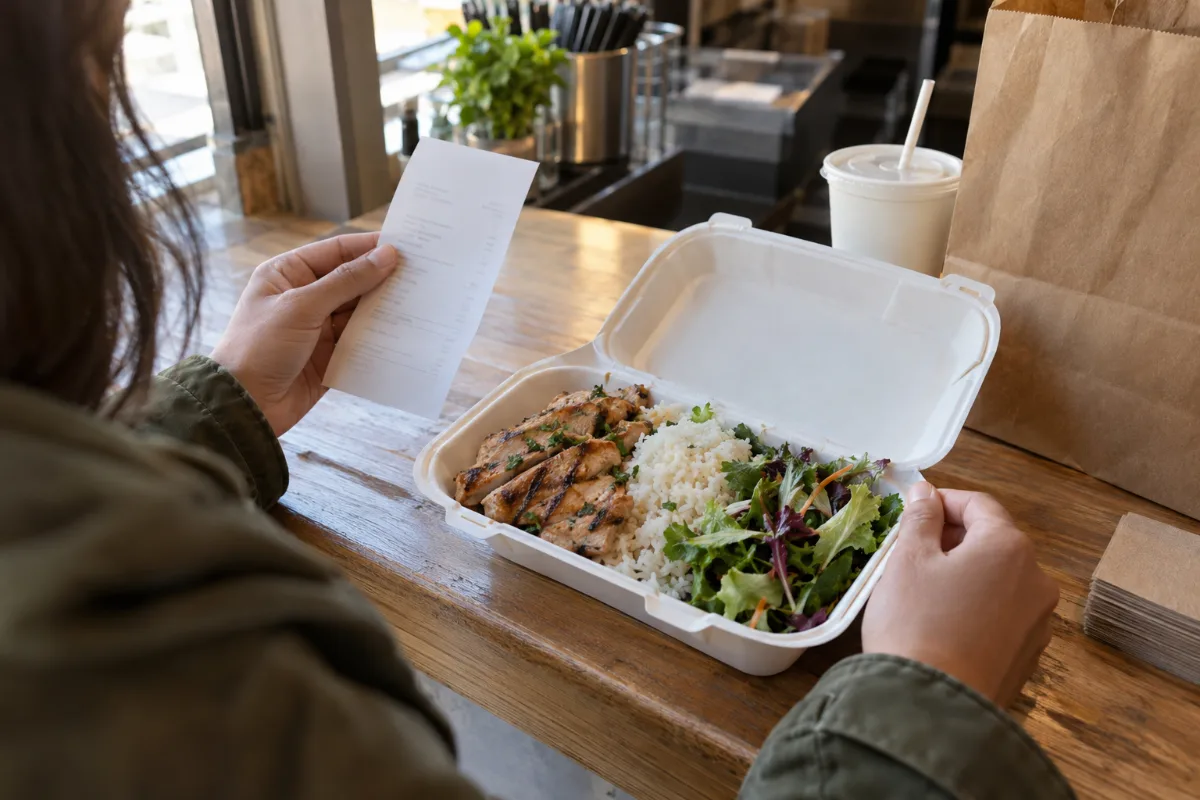
A takeout bag can contain more food than the receipt has priced lines. Rice, a salad or a sauce may belong to a meal; a drink or extra side may be a separate charge. Before turning the order into a spending record, work out what was included and what you actually paid.
This guide covers lost fast-food receipts and checking takeout orders, with an Ono Hawaiian BBQ example. Official menu information and linked CMR pages were checked on October 9, 2026.
Recover the original receipt first
If the paper receipt is missing, start with the business that handled your order. Ask the restaurant whether it can provide a copy. Give the location, approximate purchase time, order reference if available, and confirmed payment amount. These details may help identify the transaction, but they do not guarantee that a copy can be recovered.
For an online or app order, check the order history and confirmation email from the service you used. An order confirmation may describe what you requested; compare it with the final receipt or payment record before treating its amount as settled. If a delivery platform took the payment, ask that platform for its transaction document.
For Ono questions, use its official contact page to find an appropriate contact route. This is a place to ask for help, not a published promise of a receipt-reprint service.
Keep any recovered original. CMR does not retrieve restaurant transactions or replace a restaurant-issued receipt.
Check the takeout order before filing it
Match the receipt to the correct location, date and order. Then compare the priced items with what you ordered:
- Check the meal count and descriptions.
- Identify included sides and any substitutions.
- Separate added drinks, extra portions and other charged extras.
- Review discounts, tax, any separately listed fees and the final payment.
- Keep a refund or correction with the original purchase record.
If an item was missing or a charge seems wrong, contact the restaurant or ordering service with the available information. Do not edit the original receipt to make it look as though the charge never happened. Keep the original and any later resolution as separate records.
A bank entry can help confirm a payment amount, but it may not explain which meals or extras it covered. Avoid guessing the item breakdown from the amount alone.
Included sides are not another purchase
Ono Hawaiian BBQ's official menu describes plate lunches as coming with rice, macaroni salad and vegetables. It describes Aloha Plates differently, with rice and a mixed salad. Check the exact meal you ordered rather than assuming all formats include the same sides.
That distinction matters when organizing a receipt. If a side was included in the confirmed meal price, adding a new price for it in your spreadsheet would overstate the expense. You can record the side as an included component without assigning another charge.
An extra side ordered separately is different. Record the additional amount only when your receipt or other confirmed source supports it. Current menu descriptions can help you understand meal formats; they cannot establish what a past order cost or whether a particular substitution was charged.
A worked example: two meals and a charged extra
Imagine a hypothetical takeout receipt showing two meals at $14 each, a separate $3 drink, a $2 discount and $2.32 tax. These are illustrative amounts, not Ono prices or a local tax-rate claim.
- Two meals: 2 × $14 = $28.00.
- Drink: $3.00.
- Item subtotal: $31.00.
- After the $2 discount: $29.00.
- Total with the confirmed $2.32 tax: $31.32.
Suppose the meal descriptions confirm included sides. They remain part of the $28 meal charge. Giving those sides an invented $6 price would incorrectly increase the item subtotal to $37.
If the customer hands over $40 and receives $8.68 change, the purchase expense is $31.32. The cash tender is not an additional expense. For a card payment, record the confirmed final payment rather than treating an authorization and a settled transaction as two purchases.
When the original cannot be recovered
A personal record can still help with internal organization when you have confirmed details. Use the receipt editor to recreate that record, and keep a note of the sources used.
The published Ono Hawaiian BBQ receipt template offers a starting layout for meal descriptions, sides and payment details. Replace its example information with your own confirmed facts. The template's amounts and location do not establish your purchase.
Keep unknown details unknown. If you can confirm only the merchant, date and total from a payment record, do not invent meal names, quantities or tax. A personal record is not merchant-issued evidence and does not guarantee reimbursement. Check any recipient's documentation requirements before submitting a record.
Keep a useful food-purchase spreadsheet
For personal tracking, useful columns include purchase date, restaurant location, order reference, meal quantity, separately charged extras, discount, tax, fees, total and source filename. Mark included components as included rather than adding a second price.
Keep purchases and refunds distinguishable. For a shared order, document any personal allocation separately so the complete restaurant charge remains understandable.
CMR's paid export options include CSV and Excel/XLSX workflows. Review the structured receipt data before exporting: custom printed text and visual spacing do not necessarily change the numeric amounts used in a spreadsheet. The expense report tool can help organize an appropriate set of confirmed records.
Save the source receipt alongside the exported file. A clear filename such as “2026-10-09 — takeout — order reference” helps connect the spreadsheet row with its supporting document.
Quick questions
Can I reconstruct a lost cash receipt from memory?
Ask the restaurant for the original first. For an internal record, enter only details you can confirm. A remembered total does not justify inventing item prices or tax.
Should every side appear as a priced line?
Only separately charged sides should add another amount. Included components can be described without duplicating the meal price.
What if the takeout order was refunded?
Retain the purchase receipt and the confirmed refund record. Link them in your files rather than erasing the original payment.
Can I edit the Ono template to match another fast-food order?
You can customize wording and field placement for a personal record. Replace all example information, review the structured totals, and use a layout suited to your confirmed purchase.
Official menu and contact links checked October 9, 2026.